> For the complete documentation index, see [llms.txt](https://brand.trybit.com/llms.txt). Markdown versions of documentation pages are available by appending `.md` to page URLs; this page is available as [Markdown](https://brand.trybit.com/payment-marks.md).

# Payment Marks

Adding the branded Trybit payment marks to your website is a clear signal to customers that you accept cryptocurrency as a modern and secure payment method.

The branded Trybit marks are designed to clearly inform users that cryptocurrency payment is available on your website. Using payment marks directly helps increase the number of customers for whom cryptocurrency is the preferred payment method.

<figure><img src="https://1876679693-files.gitbook.io/~/files/v0/b/gitbook-x-prod.appspot.com/o/spaces%2F0qmF7ZfuUysWkk3Ugz0i%2Fuploads%2FKy2SzyW6gJeVdUIOPLXP%2FCheckout-1-Exm.png?alt=media&amp;token=15acce19-83fd-4950-9bce-884fc7857fc0" alt=""><figcaption></figcaption></figure>

### Trybit Payment Availability Marks

Place the ready-made Trybit marks to show customers that cryptocurrency payment is available — especially where you display several payment methods. Below are three mark options; choose the one that best fits your website's interface.

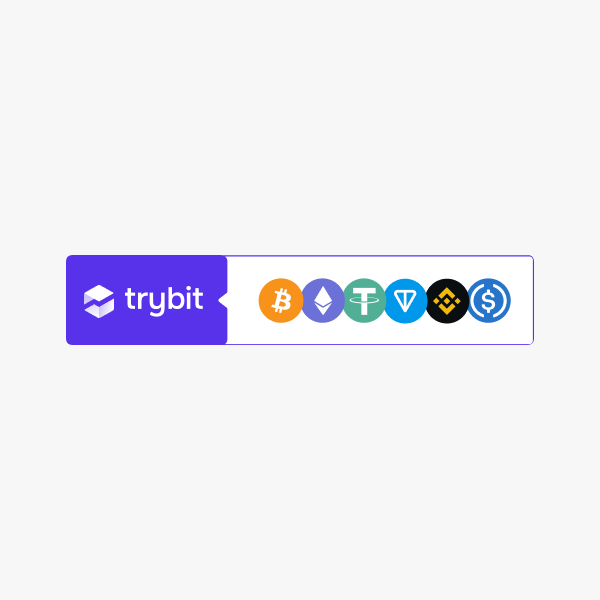
#### Horizontal Trybit mark with cryptocurrencies

The Trybit logo next to the icons of popular cryptocurrencies. A versatile mark for the footer, the product page, and the payment method list.

<div data-full-width="true"><figure><img src="https://1876679693-files.gitbook.io/~/files/v0/b/gitbook-x-prod.appspot.com/o/spaces%2F0qmF7ZfuUysWkk3Ugz0i%2Fuploads%2FRWN27HpJ181CQGJeWRZq%2FTB-Group-Colour-Exm.png?alt=media&amp;token=986ada3f-3029-43d1-8532-c0bb61c9a4c4" alt=""><figcaption><p>tb-mark-group-colour</p></figcaption></figure> <figure><img src="https://1876679693-files.gitbook.io/~/files/v0/b/gitbook-x-prod.appspot.com/o/spaces%2F0qmF7ZfuUysWkk3Ugz0i%2Fuploads%2FPhgROA7bcpn6EKsJuw6b%2FTB-Group-White-Exm.png?alt=media&amp;token=81ee9f82-9ad8-4172-a84d-7d327d5d103d" alt=""><figcaption><p>tb-mark-group-white</p></figcaption></figure> <figure><img src="https://1876679693-files.gitbook.io/~/files/v0/b/gitbook-x-prod.appspot.com/o/spaces%2F0qmF7ZfuUysWkk3Ugz0i%2Fuploads%2FSw9FKkq9itfks8rUPevs%2FTB-Group-Black-Exm.png?alt=media&amp;token=694283d4-1a2f-4045-8140-9e84f30cb8df" alt=""><figcaption><p>tb-mark-group-black</p></figcaption></figure></div>

Copy and paste the snippet below into your HTML code to add this image to your site in SVG format. Example:

{% code title="HTML" overflow="wrap" fullWidth="false" %}

```html
<img src="https://cdn.trybit.com/brand/tb-mark-group-colour.svg" alt="Trybit Accepted" width="250px" />
```

{% endcode %}

You can manually change the file name in the link to select the option you need. You can also adjust the width so that it matches the other elements on your page.

#### Horizontal "Pay with Trybit" mark

The same composition with the "Pay with Trybit" caption — for when you need to state the payment action directly.

<div data-full-width="true"><figure><img src="https://1876679693-files.gitbook.io/~/files/v0/b/gitbook-x-prod.appspot.com/o/spaces%2F0qmF7ZfuUysWkk3Ugz0i%2Fuploads%2F5gkR3hYoQ2rnsnh8jPP1%2FTB-PayWith-Colour-Exm.png?alt=media&amp;token=c6ff68d1-9e42-463b-9fcf-e4db124e5cd3" alt=""><figcaption><p>tb-mark-group-paywith-colour</p></figcaption></figure> <figure><img src="https://1876679693-files.gitbook.io/~/files/v0/b/gitbook-x-prod.appspot.com/o/spaces%2F0qmF7ZfuUysWkk3Ugz0i%2Fuploads%2FQp1nDMWyd99ws7cwyfFL%2FTB-PayWith-White-Exm.png?alt=media&amp;token=8b26e7e7-1350-4a46-b62d-935ee223f9c0" alt=""><figcaption><p>tb-mark-group-paywith-white</p></figcaption></figure> <figure><img src="https://1876679693-files.gitbook.io/~/files/v0/b/gitbook-x-prod.appspot.com/o/spaces%2F0qmF7ZfuUysWkk3Ugz0i%2Fuploads%2F5QJx39FVBaNKtbX2aZS5%2FTB-PayWith-Black-Exm.png?alt=media&amp;token=d90bf40e-4582-4b25-aa6e-179f05386043" alt=""><figcaption><p>tb-mark-group-paywith-black</p></figcaption></figure></div>

Copy and paste the snippet below into your HTML code to add this image to your site in SVG format. Example:

{% code title="HTML" overflow="wrap" fullWidth="false" %}

```html
<img src="https://cdn.trybit.com/brand/tb-mark-group-paywith-colour.svg" alt="Trybit Accepted" width="250px" />
```

{% endcode %}

You can manually change the file name in the link to select the option you need. You can also adjust the width so that it matches the other elements on your page.

#### Compact Trybit marks

Compact Trybit marks for limited space: with cryptocurrency icons, logo only, and "Pay with Trybit". A dark-background version is available for each.

<div align="center" data-full-width="true"><figure><img src="https://1876679693-files.gitbook.io/~/files/v0/b/gitbook-x-prod.appspot.com/o/spaces%2F0qmF7ZfuUysWkk3Ugz0i%2Fuploads%2F6faZLjbhXh4BC3wCFICW%2Ftb-mark-currencies-colour.jpg?alt=media&amp;token=4baac6b9-2f36-4b49-9dc1-e0de5d7a4438" alt=""><figcaption><p>tb-mark-currencies-colour</p></figcaption></figure> <figure><img src="https://1876679693-files.gitbook.io/~/files/v0/b/gitbook-x-prod.appspot.com/o/spaces%2F0qmF7ZfuUysWkk3Ugz0i%2Fuploads%2FPspFyduqdSWfI6EO9JvF%2Ftb-mark-currencies-white.jpg?alt=media&amp;token=c9b3385b-7015-4f19-b841-81fef4854a47" alt=""><figcaption><p>tb-mark-currencies-white</p></figcaption></figure> <figure><img src="https://1876679693-files.gitbook.io/~/files/v0/b/gitbook-x-prod.appspot.com/o/spaces%2F0qmF7ZfuUysWkk3Ugz0i%2Fuploads%2FyoZfecIDLyToPlwahw2s%2Ftb-mark-currencies-white-dark-background.jpg?alt=media&amp;token=0229c924-5f4f-4985-8ccd-70793d147f16" alt=""><figcaption><p>tb-mark-currencies-white-dark-background</p></figcaption></figure></div>

<div align="center" data-full-width="true"><figure><img src="https://1876679693-files.gitbook.io/~/files/v0/b/gitbook-x-prod.appspot.com/o/spaces%2F0qmF7ZfuUysWkk3Ugz0i%2Fuploads%2F5EBWDrLpmIlG5k6DxNWM%2Ftb-mark-colour.jpg?alt=media&amp;token=aa6ba14d-a9b9-48a9-a399-0c05c9bda8fb" alt=""><figcaption><p>tb-mark-colour</p></figcaption></figure> <figure><img src="https://1876679693-files.gitbook.io/~/files/v0/b/gitbook-x-prod.appspot.com/o/spaces%2F0qmF7ZfuUysWkk3Ugz0i%2Fuploads%2FQ1EEyKviROe4qY1Q4Vbk%2Ftb-mark-white.jpg?alt=media&amp;token=80a55250-9b5c-47b1-8816-c7d48712d0b5" alt=""><figcaption><p>tb-mark-white</p></figcaption></figure> <figure><img src="https://1876679693-files.gitbook.io/~/files/v0/b/gitbook-x-prod.appspot.com/o/spaces%2F0qmF7ZfuUysWkk3Ugz0i%2Fuploads%2FjWFM5puRdHm1OF9g6y5U%2Ftb-mark-white-dark-background.jpg?alt=media&amp;token=b282eb6f-eeca-47af-a4c0-3f7d65b448ef" alt=""><figcaption><p>tb-mark-white-dark-background</p></figcaption></figure></div>

<div align="center" data-full-width="true"><figure><img src="https://1876679693-files.gitbook.io/~/files/v0/b/gitbook-x-prod.appspot.com/o/spaces%2F0qmF7ZfuUysWkk3Ugz0i%2Fuploads%2FPVE2UwoRQK568CycRrGN%2Ftb-mark-paywith-colour.jpg?alt=media&amp;token=096ce47b-83cd-4878-b82a-8768ad2cfae6" alt=""><figcaption><p>tb-mark-paywith-colour</p></figcaption></figure> <figure><img src="https://1876679693-files.gitbook.io/~/files/v0/b/gitbook-x-prod.appspot.com/o/spaces%2F0qmF7ZfuUysWkk3Ugz0i%2Fuploads%2FoxmmeKB5r4Bfn5srtrHx%2Ftb-mark-paywith-white.jpg?alt=media&amp;token=0ab9b9b9-3785-4b84-aa70-d6e4747da3ac" alt=""><figcaption><p>tb-mark-paywith-white</p></figcaption></figure> <figure><img src="https://1876679693-files.gitbook.io/~/files/v0/b/gitbook-x-prod.appspot.com/o/spaces%2F0qmF7ZfuUysWkk3Ugz0i%2Fuploads%2FPtpCV1OzM8YpDA3qec4b%2Ftb-mark-paywith-white-dark-background.jpg?alt=media&amp;token=36227cc9-d3e6-41ec-b6b6-78319589960e" alt=""><figcaption><p>tb-mark-paywith-white-dark-background</p></figcaption></figure></div>

Copy and paste the snippet below into your HTML code to add this image to your site in SVG format. Example:

{% code title="HTML" overflow="wrap" %}

```html
<img src="https://cdn.trybit.com/brand/tb-mark-currencies-colour.svg" alt="Trybit Accepted" width="250px" />
```

{% endcode %}

You can manually change the file name in the link to select the option you need. You can also adjust the width so that it matches the other elements on your page.

You can download the illustrations manually from the archive below. The archive contains files in SVG format.

{% file src="/files/Xp590EF5LpNkUwOVRvDo" %}

### Third-party payment marks

Alongside the Trybit mark, you can place icons of other payment methods available on your platform. Two sets are available — payment systems (Fiat) and cryptocurrencies (Crypto). Use the ones you need to show the customer the full range of payment options.

<div data-full-width="true"><figure><img src="https://1876679693-files.gitbook.io/~/files/v0/b/gitbook-x-prod.appspot.com/o/spaces%2F0qmF7ZfuUysWkk3Ugz0i%2Fuploads%2F67tZDSgkKyGo72u2hOre%2FPayments.png?alt=media&amp;token=a959da58-51a7-4749-8137-59096a9472f0" alt=""><figcaption></figcaption></figure></div>

Copy and paste the snippet below into your HTML code to add this image to your site in SVG format. Example:

{% code title="HTML" overflow="wrap" fullWidth="true" %}

```html
<img src="https://cdn.trybit.com/brand/BTC.svg" alt="Trybit Accepted" width="250px" />
```

{% endcode %}

You can manually change the file name in the link to select the option you need. You can also adjust the width so that it matches the other elements on your page.

<details>

<summary>File names (Fiat)</summary>

* amazon — Amazon
* apple-pay — Apple Pay
* discover — Discover
* google-pay — Google Pay
* maestro — Maestro
* mastercard —Mastercard
* payoneer — Payoneer
* paypal — Paypal
* sepa — Sepa
* shop-pay — Shop Pay
* skrill — Skrill
* stripe — Stripe
* venmo — Venmo
* visa— Visa

</details>

<details>

<summary>File names (Crypto)</summary>

* BTC — Bitcoin
* ETH — Ethereum
* LTC — Litecoin
* USDC — USD Coin
* USDT — USDT Tether
* BNB — Binance Coin
* SOL — Solana
* TON — The Open Network
* TRX — Tron
* XAUt — Tether Gold
* ARB — Arbitrum
* OPT — Optimism
* BASE — Base
* PEPE — Pepe Coin
* SHIB — Shiba Inu
* TRUMP — Trump Coin
* USDD — USDD

</details>

You can download the illustrations manually from the archive below. The archive contains files in SVG format.

{% file src="/files/C9lcpoRZKkTXu6mCKnA1" %}

### Usage examples

#### Display in the website footer

The branded Trybit marks can be placed in the website footer, giving visitors a constant visual reminder that cryptocurrency payment is available.

<div data-full-width="true"><figure><img src="https://1876679693-files.gitbook.io/~/files/v0/b/gitbook-x-prod.appspot.com/o/spaces%2F0qmF7ZfuUysWkk3Ugz0i%2Fuploads%2FHmOW65ZUE5XLo0aOigl6%2FTrybit-Footer.png?alt=media&amp;token=ac1b06f7-7253-4497-9529-ba914600da26" alt=""><figcaption></figcaption></figure></div>

Alternative ways to display Trybit next to the marks of other payment methods.

<div data-full-width="true"><figure><img src="https://1876679693-files.gitbook.io/~/files/v0/b/gitbook-x-prod.appspot.com/o/spaces%2F0qmF7ZfuUysWkk3Ugz0i%2Fuploads%2FDnf8LJNPaECM3q3xwDeV%2FTrybit-Footer-Variants.png?alt=media&amp;token=126db2e3-328b-45c6-bd00-a5d32345bfbe" alt=""><figcaption></figcaption></figure></div>

<div data-full-width="true"><figure><img src="https://1876679693-files.gitbook.io/~/files/v0/b/gitbook-x-prod.appspot.com/o/spaces%2F0qmF7ZfuUysWkk3Ugz0i%2Fuploads%2FKEkkRDW61M65qAFRdPWY%2FFooter-Exm2.png?alt=media&amp;token=6663c21b-3efd-4c67-8e14-7b16a4964e3c" alt=""><figcaption></figcaption></figure></div>

<div data-full-width="true"><figure><img src="https://1876679693-files.gitbook.io/~/files/v0/b/gitbook-x-prod.appspot.com/o/spaces%2F0qmF7ZfuUysWkk3Ugz0i%2Fuploads%2FM9Mj0ITMqLIZ1AIVeax6%2FFooter-Exm4.png?alt=media&amp;token=dab07865-ccb5-4851-939a-fe6bb83aaea4" alt=""><figcaption></figcaption></figure></div>

#### Display on the product page

On the product page, the Trybit icon can be placed near the price or the "Add to cart" button to indicate an additional payment method. This notifies customers that they can pay with cryptocurrency even before they begin the checkout process.

<div data-full-width="true"><figure><img src="https://1876679693-files.gitbook.io/~/files/v0/b/gitbook-x-prod.appspot.com/o/spaces%2F0qmF7ZfuUysWkk3Ugz0i%2Fuploads%2FbFPMEFmsn6c1ufUJZtc1%2FProduct-Page-Exm.png?alt=media&amp;token=6fc7fc9f-329c-45b1-bdff-1606edb9be95" alt=""><figcaption></figcaption></figure></div>

#### Display at checkout

In the payment form, the Trybit icon can be included in the list of available payment methods, making it easier for the user to choose their preferred option. The icon should be prominent enough for the user to find it easily, but it should not dominate the other payment methods.

<div data-full-width="true"><figure><img src="https://1876679693-files.gitbook.io/~/files/v0/b/gitbook-x-prod.appspot.com/o/spaces%2F0qmF7ZfuUysWkk3Ugz0i%2Fuploads%2FVjQ8ZRLE0ANRzbW74JUS%2FCheckout-1-Exm.png?alt=media&amp;token=d65eb27b-5136-4deb-97a3-4d5aab0069fe" alt=""><figcaption></figcaption></figure></div>

Use the options that best suit your platform's interface.

<div data-full-width="true"><figure><img src="https://1876679693-files.gitbook.io/~/files/v0/b/gitbook-x-prod.appspot.com/o/spaces%2F0qmF7ZfuUysWkk3Ugz0i%2Fuploads%2FwSPe2fPFRYdI1NSfpnKr%2FCheckout-2-Exm.png?alt=media&amp;token=f39574bd-074d-4a64-a1de-aae40186ba95" alt=""><figcaption></figcaption></figure></div>

### Usage guidelines

* The icons must be used in their original form, without changes to the design, color palette, or proportions.
* Do not create your own versions of the icons or adapt them to your website's custom design.
* The branded Trybit payment icon must not be used as an interactive button. Instead, use the [payment buttons](https://brand.trybit.com/payment-buttons) to activate the payment method.
* When placed next to the icons of other payment methods, keep the size and style consistent.

### Placement recommendations

* The icons should be clearly visible and easily recognizable against the page background.
* Place the Trybit payment icon together with other payment systems so that users can easily find their preferred payment method.
* Make sure the icon's use matches the overall design and aesthetics of your site, maintaining a high level of professionalism and trust.
