# Trybit Brand Guide

Our brand guide is a key tool that helps us convey Trybit's values, mission, and philosophy to customers and partners.

It ensures brand consistency across all communication touchpoints — including the checkout process — creating a cohesive and predictable user experience.

<figure><img src="https://1876679693-files.gitbook.io/~/files/v0/b/gitbook-x-prod.appspot.com/o/spaces%2F0qmF7ZfuUysWkk3Ugz0i%2Fuploads%2FbUgBEPkYmnhqinVwNWcp%2Fmain.png?alt=media&amp;token=d2930fab-9e47-46a2-8749-03ff4bbad1c6" alt="Trybit Brand Guide"><figcaption></figcaption></figure>

Adding a correct mention of Trybit and a cryptocurrency payment option to your website not only highlights your commitment to innovation and customer convenience, but can also significantly increase conversion and sales. It gives customers additional payment options and sets your business apart from competitors, demonstrating a forward-thinking approach to financial transactions.

Using the Trybit brand book builds customer trust, increases loyalty, and ultimately drives growth in key business metrics such as conversion rates, average order value, and repeat purchases.

* [Logo](/logo);
* [Color Palette](/colours);
* [Payment Marks](/payment-marks);
* [Payment Buttons](/payment-buttons);
* [Usage Examples](/usage-examples);
* [Payment Method Display](/payment-display).


# Trybit Logo

The Trybit logo combines modern design with a clear message of reliability, accessibility, and innovation, making it a perfect representation of a cryptocurrency payment system.

### Logo Description

The core element of the Trybit logo is a three-dimensional block figure with a chart inside. The block references the principles of blockchain technology — reliability, transparency, and innovation — while the chart reflects the movement of transactions, the ease of making them, and growth. Together they form a visual metaphor for the Trybit digital ecosystem — from stable technology to dynamic development.

### Logo Formats

The logo is used in two layouts — horizontal and vertical. Choose the option depending on the medium and the available space.

<div data-full-width="true"><figure><img src="https://1876679693-files.gitbook.io/~/files/v0/b/gitbook-x-prod.appspot.com/o/spaces%2F0qmF7ZfuUysWkk3Ugz0i%2Fuploads%2FSZiEB41WFT8RzbkMhOLv%2FColour%20Logo.png?alt=media&amp;token=ef0c20e8-1cb3-43f8-b76b-e9fa49fdd489" alt="" width="563"><figcaption><p>Horizontal version</p></figcaption></figure> <figure><img src="https://1876679693-files.gitbook.io/~/files/v0/b/gitbook-x-prod.appspot.com/o/spaces%2F0qmF7ZfuUysWkk3Ugz0i%2Fuploads%2F5qqYLtW8HUWfYLc3Aaek%2FColour%20Logo%201.png?alt=media&amp;token=f69e2b94-1884-4cd0-ba20-4144a37130a4" alt="" width="563"><figcaption><p>Vertical version</p></figcaption></figure></div>

### Color Versions

The logo is available in several colour versions — full colour and monochrome (dark and light). Choose the version to match the background so that contrast and readability are preserved: the full-colour and dark logo on a light background, the light logo on a dark background.

<div data-full-width="true"><figure><img src="https://1876679693-files.gitbook.io/~/files/v0/b/gitbook-x-prod.appspot.com/o/spaces%2F0qmF7ZfuUysWkk3Ugz0i%2Fuploads%2FSZiEB41WFT8RzbkMhOLv%2FColour%20Logo.png?alt=media&amp;token=ef0c20e8-1cb3-43f8-b76b-e9fa49fdd489" alt=""><figcaption><p>Full-color logo on a light background</p></figcaption></figure> <figure><img src="https://1876679693-files.gitbook.io/~/files/v0/b/gitbook-x-prod.appspot.com/o/spaces%2F0qmF7ZfuUysWkk3Ugz0i%2Fuploads%2FJpdcpWnCSL1T5hag0NmX%2FBlack%20Logo.png?alt=media&amp;token=2f69a936-8d27-44f4-8083-2351a9631436" alt=""><figcaption><p>Dark logo on a light background</p></figcaption></figure> <figure><img src="https://1876679693-files.gitbook.io/~/files/v0/b/gitbook-x-prod.appspot.com/o/spaces%2F0qmF7ZfuUysWkk3Ugz0i%2Fuploads%2FJa61NQSSXafx04sGQgLf%2FWhite%20logo.png?alt=media&amp;token=fc659f6f-49b3-4389-878f-d2bd0b50f81f" alt=""><figcaption><p>Light logo on a dark background</p></figcaption></figure></div>

<div data-full-width="true"><figure><img src="https://1876679693-files.gitbook.io/~/files/v0/b/gitbook-x-prod.appspot.com/o/spaces%2F0qmF7ZfuUysWkk3Ugz0i%2Fuploads%2F5qqYLtW8HUWfYLc3Aaek%2FColour%20Logo%201.png?alt=media&amp;token=f69e2b94-1884-4cd0-ba20-4144a37130a4" alt=""><figcaption><p>Full-color logo on a light background</p></figcaption></figure> <figure><img src="https://1876679693-files.gitbook.io/~/files/v0/b/gitbook-x-prod.appspot.com/o/spaces%2F0qmF7ZfuUysWkk3Ugz0i%2Fuploads%2FwEwgCEBEcradCn3EIots%2FBlack%20Logo%201.png?alt=media&amp;token=10c19a52-513c-42b5-8a89-5e30b6aa921a" alt=""><figcaption><p>Dark logo on a light background</p></figcaption></figure> <figure><img src="https://1876679693-files.gitbook.io/~/files/v0/b/gitbook-x-prod.appspot.com/o/spaces%2F0qmF7ZfuUysWkk3Ugz0i%2Fuploads%2FnMmIUTnKdAwRzzgjbZhp%2FWhite%20logo%201.png?alt=media&amp;token=d84e0bea-1792-4ce1-825d-d45450624116" alt=""><figcaption><p>Light logo on a dark background</p></figcaption></figure></div>

### Icons

For compact formats, an icon mark without text is used. It is also available in full-colour, dark, and light versions — for light and dark backgrounds.

<div data-full-width="true"><figure><img src="https://1876679693-files.gitbook.io/~/files/v0/b/gitbook-x-prod.appspot.com/o/spaces%2F0qmF7ZfuUysWkk3Ugz0i%2Fuploads%2F3oj579utyVNlFb8YNqOi%2Ftb%20mark%20logo%20colour.png?alt=media&amp;token=d0e54a7e-5d90-4e20-a033-24750e46ab33" alt=""><figcaption><p>Full-color icon on a light background</p></figcaption></figure> <figure><img src="https://1876679693-files.gitbook.io/~/files/v0/b/gitbook-x-prod.appspot.com/o/spaces%2F0qmF7ZfuUysWkk3Ugz0i%2Fuploads%2FQ45mNm0oNwArtXQMUWJm%2Ftb%20mark%20logo%20colour-1.png?alt=media&amp;token=3add5408-eeec-4fd3-834f-b2a9c75165d2" alt=""><figcaption><p>Full-color icon on a dark background</p></figcaption></figure> <figure><img src="https://1876679693-files.gitbook.io/~/files/v0/b/gitbook-x-prod.appspot.com/o/spaces%2F0qmF7ZfuUysWkk3Ugz0i%2Fuploads%2F4X9lIp01nuGtkerk2ulC%2Ftb%20mark%20logo%20black.png?alt=media&amp;token=84efa4ac-0e8c-4b2f-b94d-9c8921e5c132" alt=""><figcaption><p>Dark icon on a light background</p></figcaption></figure> <figure><img src="https://1876679693-files.gitbook.io/~/files/v0/b/gitbook-x-prod.appspot.com/o/spaces%2F0qmF7ZfuUysWkk3Ugz0i%2Fuploads%2FD1rhBJYhRGx2Fz6DSpEm%2Ftb%20mark%20logo%20white.png?alt=media&amp;token=381b46f5-92fc-4153-af59-d2c3ee413f67" alt=""><figcaption><p>Light icon on a dark background</p></figcaption></figure></div>

You can review all logo usage options by downloading the archive below. Files are available in SVG format.

{% file src="/files/yF0mwIZ5cnBPnvU43Ac5" %}

### Clear space

To ensure the visual impact and clarity of the Trybit logo, you must maintain a certain amount of clear space around it.

The minimum distance on all four sides must be no less than the width of the circle.

Clear space must be strictly observed in all marketing and brand materials.

<div align="left" data-full-width="true"><figure><img src="https://1876679693-files.gitbook.io/~/files/v0/b/gitbook-x-prod.appspot.com/o/spaces%2F0qmF7ZfuUysWkk3Ugz0i%2Fuploads%2FYqmbWGTh21eZDuok0TE1%2FSpacing.png?alt=media&amp;token=6008dfc2-986b-492b-8975-c5edcef5ccd0" alt="" width="375"><figcaption></figcaption></figure> <figure><img src="https://1876679693-files.gitbook.io/~/files/v0/b/gitbook-x-prod.appspot.com/o/spaces%2F0qmF7ZfuUysWkk3Ugz0i%2Fuploads%2FzX9mJoDMmGzGylBQtoUz%2FSpacing%201.png?alt=media&amp;token=80e12827-2b96-48d0-8f86-d8bf96bc988f" alt="" width="375"><figcaption></figcaption></figure></div>

### Incorrect Logo Usage

To maintain Trybit's brand identity and professional image, it is important to follow established standards for logo usage. The following are examples of unacceptable changes:

Alteration of proportions:

* Distortion of the logo's proportions by stretching, shrinking, or other transformations that disrupt the original size and shape.
* Changing the relative size of the logo elements, such as enlarging or reducing the block figure compared to the text.

Color changes:

* Use of non-standard colours that do not match the brand's approved colour palette.
* Application of transparency or use of shades that reduce the contrast and readability of the logo.

Adding elements:

* Insertion of any external elements or effects such as shadows, outlines, additional patterns, or textures.
* Placement of the logo on complex or overly bright backgrounds that interfere with visual perception.

<div data-full-width="true"><figure><img src="https://1876679693-files.gitbook.io/~/files/v0/b/gitbook-x-prod.appspot.com/o/spaces%2F0qmF7ZfuUysWkk3Ugz0i%2Fuploads%2FUFXDJaG0eUsFyO0KTvB5%2FDon%E2%80%99t%20use%20the%20wordmark%20alone.png?alt=media&amp;token=38735721-f2ee-4954-a9fa-9d624bcf729e" alt=""><figcaption><p>Do not use the wordmark separately</p></figcaption></figure> <figure><img src="https://1876679693-files.gitbook.io/~/files/v0/b/gitbook-x-prod.appspot.com/o/spaces%2F0qmF7ZfuUysWkk3Ugz0i%2Fuploads%2F0WiZugrUOabv5lH3Cbul%2FDon%E2%80%99t%20rotate%20it.png?alt=media&amp;token=61a29e6a-68d6-4388-b0b6-302dceac0faf" alt=""><figcaption><p>Do not rotate the logo</p></figcaption></figure> <figure><img src="https://1876679693-files.gitbook.io/~/files/v0/b/gitbook-x-prod.appspot.com/o/spaces%2F0qmF7ZfuUysWkk3Ugz0i%2Fuploads%2F94zEO6Xcnn8TH8Fnukjn%2FDon%E2%80%99t%20stretch.png?alt=media&amp;token=68568f51-a195-4962-80e2-bcc9561ccdc0" alt=""><figcaption><p>Do not stretch or shrink the logo</p></figcaption></figure></div>

<div data-full-width="true"><figure><img src="https://1876679693-files.gitbook.io/~/files/v0/b/gitbook-x-prod.appspot.com/o/spaces%2F0qmF7ZfuUysWkk3Ugz0i%2Fuploads%2FB3iMDUt4vQG6BP5A4ZQi%2FDon%E2%80%99t%20use%20noisy%20backgrounds.png?alt=media&amp;token=28db01f6-8b4b-4d6b-aef1-6f1552641dd2" alt=""><figcaption><p>Do not use noisy backgrounds to place the logo on</p></figcaption></figure> <figure><img src="https://1876679693-files.gitbook.io/~/files/v0/b/gitbook-x-prod.appspot.com/o/spaces%2F0qmF7ZfuUysWkk3Ugz0i%2Fuploads%2F3alJnZjQvRJRE2kxz8KC%2FDon't%20change%20colors%20randomly.png?alt=media&amp;token=ee463d12-941a-4675-ba48-fa68559c3aca" alt=""><figcaption><p>Do not randomly change colors in the logo</p></figcaption></figure> <figure><img src="https://1876679693-files.gitbook.io/~/files/v0/b/gitbook-x-prod.appspot.com/o/spaces%2F0qmF7ZfuUysWkk3Ugz0i%2Fuploads%2FQDrbwLch8wzOMfCf7M7T%2FDon%E2%80%99t%20use%20separately.png?alt=media&amp;token=7a333a75-a577-42f0-983a-b8a81fb05f3b" alt=""><figcaption><p>Do not use the logo lettering separately</p></figcaption></figure></div>

Adaptations and modifications:

* Separate spelling of the Trybit brand name.
* Creation of custom versions of the logo or adaptations that have not been approved by the brand.
* Modifications to the font, color, composition, or other key aspects of the design.

Using third-party elements:

* Combining the logo with other logos, marks, or text without observing the established clear space or other brand standards.


# Colour Palette

Below are the colors that form the foundation of Trybit's visual identity and should be used in accordance with the brand guide to maintain brand consistency and recognition.

<div data-full-width="true"><figure><img src="https://1876679693-files.gitbook.io/~/files/v0/b/gitbook-x-prod.appspot.com/o/spaces%2F0qmF7ZfuUysWkk3Ugz0i%2Fuploads%2F8DI9uDJtQPcKTgAETUN8%2FLight%20Back.png?alt=media&amp;token=01a54055-c208-4d2a-8b8d-45e96da16ff6" alt=""><figcaption><p>#F5F6FC </p></figcaption></figure> <figure><img src="https://1876679693-files.gitbook.io/~/files/v0/b/gitbook-x-prod.appspot.com/o/spaces%2F0qmF7ZfuUysWkk3Ugz0i%2Fuploads%2FHRsTmeGAGsCoD1sdJQ27%2FAccent%20%D1%81olour.png?alt=media&amp;token=01426f87-790c-4507-baaf-f3d2591d90ff" alt=""><figcaption><p>#FF9924</p></figcaption></figure> <figure><img src="https://1876679693-files.gitbook.io/~/files/v0/b/gitbook-x-prod.appspot.com/o/spaces%2F0qmF7ZfuUysWkk3Ugz0i%2Fuploads%2FLXn4fx8PzPJFnd1c4eOI%2FMain%20%D1%81olour.png?alt=media&amp;token=93eb7f3e-dcc7-4f59-a226-a71c35077569" alt=""><figcaption><p>#5831EB</p></figcaption></figure></div>

* Light grey: #F5F6FC. This shade of grey is used for light backgrounds.
* Orange: #FF9924. This accent color is used to draw attention to important graphic elements.
* Purple: #5831EB. Used as the dominant color in the brand palette, symbolizing reliability and technology. Applied in the logo, icons, and as a background colour across various brand materials.

<div data-full-width="true"><figure><img src="https://1876679693-files.gitbook.io/~/files/v0/b/gitbook-x-prod.appspot.com/o/spaces%2F0qmF7ZfuUysWkk3Ugz0i%2Fuploads%2FLTsx4zu1oGwxV5x4MypN%2FFirst%20linear.png?alt=media&amp;token=895f95ce-afea-4142-9657-bc434e520982" alt=""><figcaption><p>Gradient from #6232FF to #372DB0</p></figcaption></figure> <figure><img src="https://1876679693-files.gitbook.io/~/files/v0/b/gitbook-x-prod.appspot.com/o/spaces%2F0qmF7ZfuUysWkk3Ugz0i%2Fuploads%2FaCxvLmcUXbGS5qxWvemt%2FDark-blue%20%D1%81olour.png?alt=media&amp;token=3585d302-35e9-41f1-a08c-3ab7143262ee" alt=""><figcaption><p>#02006A </p></figcaption></figure> <figure><img src="https://1876679693-files.gitbook.io/~/files/v0/b/gitbook-x-prod.appspot.com/o/spaces%2F0qmF7ZfuUysWkk3Ugz0i%2Fuploads%2FSeV3IBFIp3EuO8G6CM6i%2FBlack%20%D1%81olour.png?alt=media&amp;token=78c0a13f-1691-4efb-835c-e6a2316bb97e" alt=""><figcaption><p>#01003C</p></figcaption></figure></div>

* Linear gradient: from #6232FF to #372DB0. This gradient adds dynamism and depth to the brand's visual elements, including web elements and advertising banners.
* Dark blue: #02006A. Used for additional contrast and depth; it can serve as a background or to accentuate important elements.
* Deep dark blue: #01003C. This shade of blue is used for text and as the main colour for monochrome versions of the logo, as well as to ensure contrast on light backgrounds.


# Payment Marks

Adding the branded Trybit payment marks to your website is a clear signal to customers that you accept cryptocurrency as a modern and secure payment method.

The branded Trybit marks are designed to clearly inform users that cryptocurrency payment is available on your website. Using payment marks directly helps increase the number of customers for whom cryptocurrency is the preferred payment method.

<figure><img src="https://1876679693-files.gitbook.io/~/files/v0/b/gitbook-x-prod.appspot.com/o/spaces%2F0qmF7ZfuUysWkk3Ugz0i%2Fuploads%2FKy2SzyW6gJeVdUIOPLXP%2FCheckout-1-Exm.png?alt=media&amp;token=15acce19-83fd-4950-9bce-884fc7857fc0" alt=""><figcaption></figcaption></figure>

### Trybit Payment Availability Marks

Place the ready-made Trybit marks to show customers that cryptocurrency payment is available — especially where you display several payment methods. Below are three mark options; choose the one that best fits your website's interface.

#### Horizontal Trybit mark with cryptocurrencies

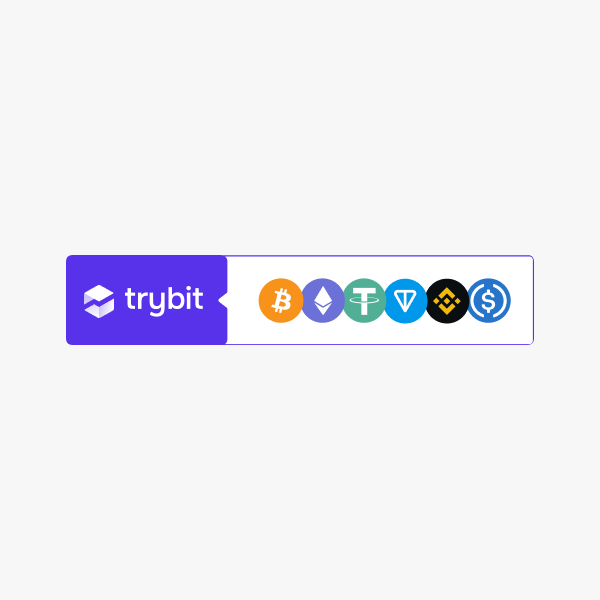
The Trybit logo next to the icons of popular cryptocurrencies. A versatile mark for the footer, the product page, and the payment method list.

<div data-full-width="true"><figure><img src="https://1876679693-files.gitbook.io/~/files/v0/b/gitbook-x-prod.appspot.com/o/spaces%2F0qmF7ZfuUysWkk3Ugz0i%2Fuploads%2FRWN27HpJ181CQGJeWRZq%2FTB-Group-Colour-Exm.png?alt=media&amp;token=986ada3f-3029-43d1-8532-c0bb61c9a4c4" alt=""><figcaption><p>tb-mark-group-colour</p></figcaption></figure> <figure><img src="https://1876679693-files.gitbook.io/~/files/v0/b/gitbook-x-prod.appspot.com/o/spaces%2F0qmF7ZfuUysWkk3Ugz0i%2Fuploads%2FPhgROA7bcpn6EKsJuw6b%2FTB-Group-White-Exm.png?alt=media&amp;token=81ee9f82-9ad8-4172-a84d-7d327d5d103d" alt=""><figcaption><p>tb-mark-group-white</p></figcaption></figure> <figure><img src="https://1876679693-files.gitbook.io/~/files/v0/b/gitbook-x-prod.appspot.com/o/spaces%2F0qmF7ZfuUysWkk3Ugz0i%2Fuploads%2FSw9FKkq9itfks8rUPevs%2FTB-Group-Black-Exm.png?alt=media&amp;token=694283d4-1a2f-4045-8140-9e84f30cb8df" alt=""><figcaption><p>tb-mark-group-black</p></figcaption></figure></div>

Copy and paste the snippet below into your HTML code to add this image to your site in SVG format. Example:

{% code title="HTML" overflow="wrap" fullWidth="false" %}

```html
<img src="https://cdn.trybit.com/brand/tb-mark-group-colour.svg" alt="Trybit Accepted" width="250px" />
```

{% endcode %}

You can manually change the file name in the link to select the option you need. You can also adjust the width so that it matches the other elements on your page.

#### Horizontal "Pay with Trybit" mark

The same composition with the "Pay with Trybit" caption — for when you need to state the payment action directly.

<div data-full-width="true"><figure><img src="https://1876679693-files.gitbook.io/~/files/v0/b/gitbook-x-prod.appspot.com/o/spaces%2F0qmF7ZfuUysWkk3Ugz0i%2Fuploads%2F5gkR3hYoQ2rnsnh8jPP1%2FTB-PayWith-Colour-Exm.png?alt=media&amp;token=c6ff68d1-9e42-463b-9fcf-e4db124e5cd3" alt=""><figcaption><p>tb-mark-group-paywith-colour</p></figcaption></figure> <figure><img src="https://1876679693-files.gitbook.io/~/files/v0/b/gitbook-x-prod.appspot.com/o/spaces%2F0qmF7ZfuUysWkk3Ugz0i%2Fuploads%2FQp1nDMWyd99ws7cwyfFL%2FTB-PayWith-White-Exm.png?alt=media&amp;token=8b26e7e7-1350-4a46-b62d-935ee223f9c0" alt=""><figcaption><p>tb-mark-group-paywith-white</p></figcaption></figure> <figure><img src="https://1876679693-files.gitbook.io/~/files/v0/b/gitbook-x-prod.appspot.com/o/spaces%2F0qmF7ZfuUysWkk3Ugz0i%2Fuploads%2F5QJx39FVBaNKtbX2aZS5%2FTB-PayWith-Black-Exm.png?alt=media&amp;token=d90bf40e-4582-4b25-aa6e-179f05386043" alt=""><figcaption><p>tb-mark-group-paywith-black</p></figcaption></figure></div>

Copy and paste the snippet below into your HTML code to add this image to your site in SVG format. Example:

{% code title="HTML" overflow="wrap" fullWidth="false" %}

```html
<img src="https://cdn.trybit.com/brand/tb-mark-group-paywith-colour.svg" alt="Trybit Accepted" width="250px" />
```

{% endcode %}

You can manually change the file name in the link to select the option you need. You can also adjust the width so that it matches the other elements on your page.

#### Compact Trybit marks

Compact Trybit marks for limited space: with cryptocurrency icons, logo only, and "Pay with Trybit". A dark-background version is available for each.

<div align="center" data-full-width="true"><figure><img src="https://1876679693-files.gitbook.io/~/files/v0/b/gitbook-x-prod.appspot.com/o/spaces%2F0qmF7ZfuUysWkk3Ugz0i%2Fuploads%2F6faZLjbhXh4BC3wCFICW%2Ftb-mark-currencies-colour.jpg?alt=media&amp;token=4baac6b9-2f36-4b49-9dc1-e0de5d7a4438" alt=""><figcaption><p>tb-mark-currencies-colour</p></figcaption></figure> <figure><img src="https://1876679693-files.gitbook.io/~/files/v0/b/gitbook-x-prod.appspot.com/o/spaces%2F0qmF7ZfuUysWkk3Ugz0i%2Fuploads%2FPspFyduqdSWfI6EO9JvF%2Ftb-mark-currencies-white.jpg?alt=media&amp;token=c9b3385b-7015-4f19-b841-81fef4854a47" alt=""><figcaption><p>tb-mark-currencies-white</p></figcaption></figure> <figure><img src="https://1876679693-files.gitbook.io/~/files/v0/b/gitbook-x-prod.appspot.com/o/spaces%2F0qmF7ZfuUysWkk3Ugz0i%2Fuploads%2FyoZfecIDLyToPlwahw2s%2Ftb-mark-currencies-white-dark-background.jpg?alt=media&amp;token=0229c924-5f4f-4985-8ccd-70793d147f16" alt=""><figcaption><p>tb-mark-currencies-white-dark-background</p></figcaption></figure></div>

<div align="center" data-full-width="true"><figure><img src="https://1876679693-files.gitbook.io/~/files/v0/b/gitbook-x-prod.appspot.com/o/spaces%2F0qmF7ZfuUysWkk3Ugz0i%2Fuploads%2F5EBWDrLpmIlG5k6DxNWM%2Ftb-mark-colour.jpg?alt=media&amp;token=aa6ba14d-a9b9-48a9-a399-0c05c9bda8fb" alt=""><figcaption><p>tb-mark-colour</p></figcaption></figure> <figure><img src="https://1876679693-files.gitbook.io/~/files/v0/b/gitbook-x-prod.appspot.com/o/spaces%2F0qmF7ZfuUysWkk3Ugz0i%2Fuploads%2FQ1EEyKviROe4qY1Q4Vbk%2Ftb-mark-white.jpg?alt=media&amp;token=80a55250-9b5c-47b1-8816-c7d48712d0b5" alt=""><figcaption><p>tb-mark-white</p></figcaption></figure> <figure><img src="https://1876679693-files.gitbook.io/~/files/v0/b/gitbook-x-prod.appspot.com/o/spaces%2F0qmF7ZfuUysWkk3Ugz0i%2Fuploads%2FjWFM5puRdHm1OF9g6y5U%2Ftb-mark-white-dark-background.jpg?alt=media&amp;token=b282eb6f-eeca-47af-a4c0-3f7d65b448ef" alt=""><figcaption><p>tb-mark-white-dark-background</p></figcaption></figure></div>

<div align="center" data-full-width="true"><figure><img src="https://1876679693-files.gitbook.io/~/files/v0/b/gitbook-x-prod.appspot.com/o/spaces%2F0qmF7ZfuUysWkk3Ugz0i%2Fuploads%2FPVE2UwoRQK568CycRrGN%2Ftb-mark-paywith-colour.jpg?alt=media&amp;token=096ce47b-83cd-4878-b82a-8768ad2cfae6" alt=""><figcaption><p>tb-mark-paywith-colour</p></figcaption></figure> <figure><img src="https://1876679693-files.gitbook.io/~/files/v0/b/gitbook-x-prod.appspot.com/o/spaces%2F0qmF7ZfuUysWkk3Ugz0i%2Fuploads%2FoxmmeKB5r4Bfn5srtrHx%2Ftb-mark-paywith-white.jpg?alt=media&amp;token=0ab9b9b9-3785-4b84-aa70-d6e4747da3ac" alt=""><figcaption><p>tb-mark-paywith-white</p></figcaption></figure> <figure><img src="https://1876679693-files.gitbook.io/~/files/v0/b/gitbook-x-prod.appspot.com/o/spaces%2F0qmF7ZfuUysWkk3Ugz0i%2Fuploads%2FPtpCV1OzM8YpDA3qec4b%2Ftb-mark-paywith-white-dark-background.jpg?alt=media&amp;token=36227cc9-d3e6-41ec-b6b6-78319589960e" alt=""><figcaption><p>tb-mark-paywith-white-dark-background</p></figcaption></figure></div>

Copy and paste the snippet below into your HTML code to add this image to your site in SVG format. Example:

{% code title="HTML" overflow="wrap" %}

```html
<img src="https://cdn.trybit.com/brand/tb-mark-currencies-colour.svg" alt="Trybit Accepted" width="250px" />
```

{% endcode %}

You can manually change the file name in the link to select the option you need. You can also adjust the width so that it matches the other elements on your page.

You can download the illustrations manually from the archive below. The archive contains files in SVG format.

{% file src="/files/Xp590EF5LpNkUwOVRvDo" %}

### Third-party payment marks

Alongside the Trybit mark, you can place icons of other payment methods available on your platform. Two sets are available — payment systems (Fiat) and cryptocurrencies (Crypto). Use the ones you need to show the customer the full range of payment options.

<div data-full-width="true"><figure><img src="https://1876679693-files.gitbook.io/~/files/v0/b/gitbook-x-prod.appspot.com/o/spaces%2F0qmF7ZfuUysWkk3Ugz0i%2Fuploads%2F67tZDSgkKyGo72u2hOre%2FPayments.png?alt=media&amp;token=a959da58-51a7-4749-8137-59096a9472f0" alt=""><figcaption></figcaption></figure></div>

Copy and paste the snippet below into your HTML code to add this image to your site in SVG format. Example:

{% code title="HTML" overflow="wrap" fullWidth="true" %}

```html
<img src="https://cdn.trybit.com/brand/BTC.svg" alt="Trybit Accepted" width="250px" />
```

{% endcode %}

You can manually change the file name in the link to select the option you need. You can also adjust the width so that it matches the other elements on your page.

<details>

<summary>File names (Fiat)</summary>

* amazon — Amazon
* apple-pay — Apple Pay
* discover — Discover
* google-pay — Google Pay
* maestro — Maestro
* mastercard —Mastercard
* payoneer — Payoneer
* paypal — Paypal
* sepa — Sepa
* shop-pay — Shop Pay
* skrill — Skrill
* stripe — Stripe
* venmo — Venmo
* visa— Visa

</details>

<details>

<summary>File names (Crypto)</summary>

* BTC — Bitcoin
* ETH — Ethereum
* LTC — Litecoin
* USDC — USD Coin
* USDT — USDT Tether
* BNB — Binance Coin
* SOL — Solana
* TON — The Open Network
* TRX — Tron
* XAUt — Tether Gold
* ARB — Arbitrum
* OPT — Optimism
* BASE — Base
* PEPE — Pepe Coin
* SHIB — Shiba Inu
* TRUMP — Trump Coin
* USDD — USDD

</details>

You can download the illustrations manually from the archive below. The archive contains files in SVG format.

{% file src="/files/C9lcpoRZKkTXu6mCKnA1" %}

### Usage examples

#### Display in the website footer

The branded Trybit marks can be placed in the website footer, giving visitors a constant visual reminder that cryptocurrency payment is available.

<div data-full-width="true"><figure><img src="https://1876679693-files.gitbook.io/~/files/v0/b/gitbook-x-prod.appspot.com/o/spaces%2F0qmF7ZfuUysWkk3Ugz0i%2Fuploads%2FHmOW65ZUE5XLo0aOigl6%2FTrybit-Footer.png?alt=media&amp;token=ac1b06f7-7253-4497-9529-ba914600da26" alt=""><figcaption></figcaption></figure></div>

Alternative ways to display Trybit next to the marks of other payment methods.

<div data-full-width="true"><figure><img src="https://1876679693-files.gitbook.io/~/files/v0/b/gitbook-x-prod.appspot.com/o/spaces%2F0qmF7ZfuUysWkk3Ugz0i%2Fuploads%2FDnf8LJNPaECM3q3xwDeV%2FTrybit-Footer-Variants.png?alt=media&amp;token=126db2e3-328b-45c6-bd00-a5d32345bfbe" alt=""><figcaption></figcaption></figure></div>

<div data-full-width="true"><figure><img src="https://1876679693-files.gitbook.io/~/files/v0/b/gitbook-x-prod.appspot.com/o/spaces%2F0qmF7ZfuUysWkk3Ugz0i%2Fuploads%2FKEkkRDW61M65qAFRdPWY%2FFooter-Exm2.png?alt=media&amp;token=6663c21b-3efd-4c67-8e14-7b16a4964e3c" alt=""><figcaption></figcaption></figure></div>

<div data-full-width="true"><figure><img src="https://1876679693-files.gitbook.io/~/files/v0/b/gitbook-x-prod.appspot.com/o/spaces%2F0qmF7ZfuUysWkk3Ugz0i%2Fuploads%2FM9Mj0ITMqLIZ1AIVeax6%2FFooter-Exm4.png?alt=media&amp;token=dab07865-ccb5-4851-939a-fe6bb83aaea4" alt=""><figcaption></figcaption></figure></div>

#### Display on the product page

On the product page, the Trybit icon can be placed near the price or the "Add to cart" button to indicate an additional payment method. This notifies customers that they can pay with cryptocurrency even before they begin the checkout process.

<div data-full-width="true"><figure><img src="https://1876679693-files.gitbook.io/~/files/v0/b/gitbook-x-prod.appspot.com/o/spaces%2F0qmF7ZfuUysWkk3Ugz0i%2Fuploads%2FbFPMEFmsn6c1ufUJZtc1%2FProduct-Page-Exm.png?alt=media&amp;token=6fc7fc9f-329c-45b1-bdff-1606edb9be95" alt=""><figcaption></figcaption></figure></div>

#### Display at checkout

In the payment form, the Trybit icon can be included in the list of available payment methods, making it easier for the user to choose their preferred option. The icon should be prominent enough for the user to find it easily, but it should not dominate the other payment methods.

<div data-full-width="true"><figure><img src="https://1876679693-files.gitbook.io/~/files/v0/b/gitbook-x-prod.appspot.com/o/spaces%2F0qmF7ZfuUysWkk3Ugz0i%2Fuploads%2FVjQ8ZRLE0ANRzbW74JUS%2FCheckout-1-Exm.png?alt=media&amp;token=d65eb27b-5136-4deb-97a3-4d5aab0069fe" alt=""><figcaption></figcaption></figure></div>

Use the options that best suit your platform's interface.

<div data-full-width="true"><figure><img src="https://1876679693-files.gitbook.io/~/files/v0/b/gitbook-x-prod.appspot.com/o/spaces%2F0qmF7ZfuUysWkk3Ugz0i%2Fuploads%2FwSPe2fPFRYdI1NSfpnKr%2FCheckout-2-Exm.png?alt=media&amp;token=f39574bd-074d-4a64-a1de-aae40186ba95" alt=""><figcaption></figcaption></figure></div>

### Usage guidelines

* The icons must be used in their original form, without changes to the design, color palette, or proportions.
* Do not create your own versions of the icons or adapt them to your website's custom design.
* The branded Trybit payment icon must not be used as an interactive button. Instead, use the [payment buttons](https://brand.trybit.com/payment-buttons) to activate the payment method.
* When placed next to the icons of other payment methods, keep the size and style consistent.

### Placement recommendations

* The icons should be clearly visible and easily recognizable against the page background.
* Place the Trybit payment icon together with other payment systems so that users can easily find their preferred payment method.
* Make sure the icon's use matches the overall design and aesthetics of your site, maintaining a high level of professionalism and trust.


# Payment Buttons

The branded Trybit payment buttons are designed to directly support the purchase or donation process, highlighting the simplicity and security of transactions made with cryptocurrency.

The branded Trybit buttons enable instant and intuitive payments or donations from your customers.

<figure><img src="https://1876679693-files.gitbook.io/~/files/v0/b/gitbook-x-prod.appspot.com/o/spaces%2F0qmF7ZfuUysWkk3Ugz0i%2Fuploads%2FfUQ9DedPkYBDGwx3z2FW%2Fcover-buttons.png?alt=media&amp;token=e0bb470c-a2fe-42a9-8471-df42d1e26bac" alt=""><figcaption></figcaption></figure>

### Payment buttons

Use the button options below on your website to highlight the available cryptocurrency payment method. After the user clicks the button, they are redirected to the generated invoice page to complete the payment.

<div data-full-width="true"><figure><img src="https://1876679693-files.gitbook.io/~/files/v0/b/gitbook-x-prod.appspot.com/o/spaces%2F0qmF7ZfuUysWkk3Ugz0i%2Fuploads%2FExuYb5oX9jzcZewotan2%2Ftb-button-paywith-currency-colour.jpg?alt=media&amp;token=a553c3e1-53dd-425e-bc14-86ce297bbe97" alt=""><figcaption><p>tb-button-paywith-currency-colour</p></figcaption></figure> <figure><img src="https://1876679693-files.gitbook.io/~/files/v0/b/gitbook-x-prod.appspot.com/o/spaces%2F0qmF7ZfuUysWkk3Ugz0i%2Fuploads%2FTLH11JZQZyWFKeKJid0p%2Ftb-button-paywith-colour.jpg?alt=media&amp;token=b3647599-283e-4d69-a9fe-5d11b5e1d1af" alt=""><figcaption><p>tb-button-paywith-colour</p></figcaption></figure></div>

<div data-full-width="true"><figure><img src="https://1876679693-files.gitbook.io/~/files/v0/b/gitbook-x-prod.appspot.com/o/spaces%2F0qmF7ZfuUysWkk3Ugz0i%2Fuploads%2FMMQKa4Lq5MLGZGh40a7P%2Ftb-button-paywith-currency-white.jpg?alt=media&amp;token=cf385cb3-8741-4d03-986e-e043d17414df" alt=""><figcaption><p>tb-button-paywith-currency-white</p></figcaption></figure> <figure><img src="https://1876679693-files.gitbook.io/~/files/v0/b/gitbook-x-prod.appspot.com/o/spaces%2F0qmF7ZfuUysWkk3Ugz0i%2Fuploads%2FM4fm5yyy0BcmwfNDOxfg%2Ftb-button-paywith-white.jpg?alt=media&amp;token=b3deba56-ad27-416b-b9f1-71af16410bbb" alt=""><figcaption><p>tb-button-paywith-white</p></figcaption></figure></div>

<div data-full-width="true"><figure><img src="https://1876679693-files.gitbook.io/~/files/v0/b/gitbook-x-prod.appspot.com/o/spaces%2F0qmF7ZfuUysWkk3Ugz0i%2Fuploads%2FbogGchizbxZU1tYO03kJ%2Ftb-button-paywith-currency-dark.jpg?alt=media&amp;token=ad34ba3b-cd7b-4f20-aa75-72fd36f858a8" alt=""><figcaption><p>tb-button-paywith-currency-dark</p></figcaption></figure> <figure><img src="https://1876679693-files.gitbook.io/~/files/v0/b/gitbook-x-prod.appspot.com/o/spaces%2F0qmF7ZfuUysWkk3Ugz0i%2Fuploads%2FlNW6mFvKbl3kicaYiN7d%2Ftb-button-paywith-dark.jpg?alt=media&amp;token=28a8b660-4b6a-4ebd-8b34-37f2ed18bf9e" alt=""><figcaption><p>tb-button-paywith-dark</p></figcaption></figure></div>

Copy and paste the snippet below into your HTML code to add this image to your site in SVG format. Example:

{% code title="HTML" overflow="wrap" %}

```html
<input type="image" src="https://cdn.trybit.com/brand/tb-button-paywith-currency-colour.svg" alt="Pay with Trybit" width="250px" />
```

{% endcode %}

You can manually change the file name in the link to select the option you need. You can also adjust the width so that it matches the other elements on your page.

You can download the illustrations manually from the archive below. The archive contains files in SVG format.

{% file src="/files/F702eYMSQTebPtzRajcR" %}

### Donation buttons

The options below are ideal for content creators, charities, and other users who need to accept donations.

<div data-full-width="true"><figure><img src="https://1876679693-files.gitbook.io/~/files/v0/b/gitbook-x-prod.appspot.com/o/spaces%2F0qmF7ZfuUysWkk3Ugz0i%2Fuploads%2FLL7bBxVHnO4D0m8RVzDS%2Ftb-button-donatewith-currency-colour.jpg?alt=media&amp;token=42b951da-6771-448e-8022-bacdc55a808f" alt=""><figcaption><p>tb-button-donatewith-currency-colour</p></figcaption></figure> <figure><img src="https://1876679693-files.gitbook.io/~/files/v0/b/gitbook-x-prod.appspot.com/o/spaces%2F0qmF7ZfuUysWkk3Ugz0i%2Fuploads%2FWB5PG09SpAKUgbrCEgeT%2Ftb-button-donatewith-colour.jpg?alt=media&amp;token=ebd631a4-ee2e-4f48-834b-4fddb2346d2c" alt=""><figcaption><p>tb-button-donatewith-colour</p></figcaption></figure></div>

<div data-full-width="true"><figure><img src="https://1876679693-files.gitbook.io/~/files/v0/b/gitbook-x-prod.appspot.com/o/spaces%2F0qmF7ZfuUysWkk3Ugz0i%2Fuploads%2FqELVt5nvd4et5c7rWX6j%2Ftb-button-donatewith-currency-white.jpg?alt=media&amp;token=37fc6fac-7365-4c87-b0b9-5e1bf37509a8" alt=""><figcaption><p>tb-button-donatewith-currency-white</p></figcaption></figure> <figure><img src="https://1876679693-files.gitbook.io/~/files/v0/b/gitbook-x-prod.appspot.com/o/spaces%2F0qmF7ZfuUysWkk3Ugz0i%2Fuploads%2F8BCu54VeNP4MQHhZzawK%2Ftb-button-donatewith-white.jpg?alt=media&amp;token=1b60143e-c652-490a-8ac0-4fbe5e136fa0" alt=""><figcaption><p>tb-button-donatewith-white</p></figcaption></figure></div>

<div data-full-width="true"><figure><img src="https://1876679693-files.gitbook.io/~/files/v0/b/gitbook-x-prod.appspot.com/o/spaces%2F0qmF7ZfuUysWkk3Ugz0i%2Fuploads%2FIalU9v6YAwGvMswMj49N%2Ftb-button-donatewith-currency-dark.jpg?alt=media&amp;token=b25fcc0e-6ce4-44d8-aac7-72c07176a9d7" alt=""><figcaption><p>tb-button-donatewith-currency-dark</p></figcaption></figure> <figure><img src="https://1876679693-files.gitbook.io/~/files/v0/b/gitbook-x-prod.appspot.com/o/spaces%2F0qmF7ZfuUysWkk3Ugz0i%2Fuploads%2FMayoukNKJsvxh02TVgca%2Ftb-button-donatewith-dark.jpg?alt=media&amp;token=19dfe1b9-3b58-41cd-94cb-83a0ae44ca66" alt=""><figcaption><p>tb-button-donatewith-dark</p></figcaption></figure></div>

Copy and paste the snippet below into your HTML code to add this image to your site in SVG format. Example:

{% code title="HTML" overflow="wrap" %}

```html
<input type="image" src="https://cdn.trybit.com/brand/tb-button-donatewith-currency-colour.svg" alt="Pay with Trybit" width="250px" />
```

{% endcode %}

You can manually change the file name in the link to select the option you need. You can also adjust the width so that it matches the other elements on your page.

You can download the illustrations manually from the archive below. The archive contains files in SVG format.

{% file src="/files/l5b32KBW90bn6awgNL95" %}

### Button usage examples

Below are some ways you can use the payment button options provided.

#### Pricing

On the pricing page, the branded Trybit buttons can be placed under each list of services or packages, allowing customers to immediately choose and pay for their preferred plan with cryptocurrency. The buttons should be prominent but should not interfere with comparing the different plans.

<div data-full-width="true"><figure><img src="https://1876679693-files.gitbook.io/~/files/v0/b/gitbook-x-prod.appspot.com/o/spaces%2F0qmF7ZfuUysWkk3Ugz0i%2Fuploads%2FHdgN8bzrWd1u3st9gB56%2Fproduct-page.png?alt=media&amp;token=4243db08-59dc-4118-8a18-641b31858893" alt=""><figcaption></figcaption></figure></div>

#### Order confirmation page

At this stage, the branded Trybit button is placed in the payment method selection area, clearly showing the user the option to pay via Trybit alongside the other available options.

<div data-full-width="true"><figure><img src="https://1876679693-files.gitbook.io/~/files/v0/b/gitbook-x-prod.appspot.com/o/spaces%2F0qmF7ZfuUysWkk3Ugz0i%2Fuploads%2FdOQgBMqPSFUQMy7B4yZL%2Fcheckout.png?alt=media&amp;token=5e4d4150-72c7-47af-bb92-4f402ad22e03" alt=""><figcaption></figcaption></figure></div>

#### Accepting donations

The branded donation buttons can be used on dedicated fundraising pages, in blogs, in articles, and on the homepage. They should provide simple and fast payment, support the ability to choose the donation amount, and clearly inform donors that their contribution can be made in cryptocurrency via Trybit.

<div data-full-width="true"><figure><img src="https://1876679693-files.gitbook.io/~/files/v0/b/gitbook-x-prod.appspot.com/o/spaces%2F0qmF7ZfuUysWkk3Ugz0i%2Fuploads%2FkfQBKrLUea10GgEOK7kS%2Fdonation.png?alt=media&amp;token=7610714f-6cb5-4421-b2b0-0f6fb8b66d27" alt=""><figcaption></figcaption></figure></div>

### Usage guidelines

* The buttons must be used in their original form, in line with Trybit's brand standards and color scheme.
* Do not design your own alternatives or variations of these buttons, to avoid confusion and brand inconsistency.
* The branded buttons should be placed in prominent but non-intrusive positions on the site, ensuring a comfortable user experience.

### Placement recommendations

* Make sure the Trybit payment and donation buttons are placed next to other payment methods, making it easier for the user to choose their preferred option.
* The buttons should be clearly visible and easily accessible on all devices, adapting to screen sizes and device types.
* If you use the buttons to collect donations, clearly indicate the donation amounts or let users choose their contribution amount.


# Usage Examples

Tell your users and customers about the cryptocurrency payment option available from Trybit.

<figure><img src="https://1876679693-files.gitbook.io/~/files/v0/b/gitbook-x-prod.appspot.com/o/spaces%2F0qmF7ZfuUysWkk3Ugz0i%2Fuploads%2F89CWv8JhvbGEHatxv0hY%2FBanner.png?alt=media&amp;token=84b31287-ae55-44c9-bbd4-2328cbd568dc" alt=""><figcaption></figcaption></figure>

{% hint style="info" %}
Merchants who promote this payment method see an estimated sales increase of up to 50%, with the average order value rising by up to 40%.
{% endhint %}

In this section, you can explore some examples of how to tell your audience that cryptocurrency payment is available in your business.

### Homepage mention

You can highlight crypto payment acceptance via Trybit using a static banner, a pop-up, or an information bar at the top of your homepage.

<figure><img src="https://1876679693-files.gitbook.io/~/files/v0/b/gitbook-x-prod.appspot.com/o/spaces%2F0qmF7ZfuUysWkk3Ugz0i%2Fuploads%2FOWnhw8C33mDiidhOuS4C%2FBanner%20home.png?alt=media&amp;token=3bab983a-748b-46f6-afee-4c6dc50866da" alt=""><figcaption></figcaption></figure>

### Website footer

Reinforce awareness of cryptocurrency payment by adding the Trybit icon or icons of popular cryptocurrencies to your website footer. This lets users see that crypto payments are available on every page, even when scrolling down.

<figure><img src="https://1876679693-files.gitbook.io/~/files/v0/b/gitbook-x-prod.appspot.com/o/spaces%2F0qmF7ZfuUysWkk3Ugz0i%2Fuploads%2FJxGAUXLn3S5Gs30FQtGO%2FFooter-Exm1.png?alt=media&amp;token=8069082f-cb5c-42d2-ae20-2dcbee7d8583" alt=""><figcaption></figcaption></figure>

<figure><img src="https://1876679693-files.gitbook.io/~/files/v0/b/gitbook-x-prod.appspot.com/o/spaces%2F0qmF7ZfuUysWkk3Ugz0i%2Fuploads%2FnLdXGoRVx58eRF92hDwU%2FFooter-Exm2.png?alt=media&amp;token=fe8b1fff-e422-44f7-84b8-2071256a11fe" alt=""><figcaption></figcaption></figure>

<figure><img src="https://1876679693-files.gitbook.io/~/files/v0/b/gitbook-x-prod.appspot.com/o/spaces%2F0qmF7ZfuUysWkk3Ugz0i%2Fuploads%2F0WEZNBktfOwgu72xY9jE%2FFooter-Exm3.png?alt=media&amp;token=b0a09cb8-ddd6-4a19-805f-e076315869d9" alt=""><figcaption></figcaption></figure>

<figure><img src="https://1876679693-files.gitbook.io/~/files/v0/b/gitbook-x-prod.appspot.com/o/spaces%2F0qmF7ZfuUysWkk3Ugz0i%2Fuploads%2F54tfjvRC0pehikyP2XKF%2FFooter-Exm4.png?alt=media&amp;token=ef8fc878-1efe-42f5-a637-f0a4c0069673" alt=""><figcaption></figcaption></figure>

A constant reminder in the footer keeps the cryptocurrency payment option visible without being intrusive, building trust and encouraging conversions throughout the user journey.

### Product page

Indicate the cryptocurrency payment option right on the product page to show customers the available options straight away. Place the Trybit icon or logos of popular cryptocurrencies next to the call-to-action button or in the text description.

<figure><img src="https://1876679693-files.gitbook.io/~/files/v0/b/gitbook-x-prod.appspot.com/o/spaces%2F0qmF7ZfuUysWkk3Ugz0i%2Fuploads%2FXGVQiSa01ypQV2iLAvVy%2FProduct-Page-Exm.png?alt=media&amp;token=c2be4986-e824-4bb9-944d-b165882e37e3" alt=""><figcaption></figcaption></figure>

An explicit mention of crypto payments at the product selection stage helps build trust, reduces drop-offs at later checkout stages, and makes the purchase process more transparent for users.

### Payment method selection

Use the Trybit logo or icons of popular cryptocurrencies next to the corresponding payment method.

A clear and prominent display of this option helps users decide to pay with cryptocurrency more easily, reduces the likelihood of refunds, and increases overall conversion.

<figure><img src="https://1876679693-files.gitbook.io/~/files/v0/b/gitbook-x-prod.appspot.com/o/spaces%2F0qmF7ZfuUysWkk3Ugz0i%2Fuploads%2FL3NVG4NoDujdenxePA9P%2FCheckout-1-Exm.png?alt=media&amp;token=eff65e40-be8c-4fcc-8458-48143256f268" alt=""><figcaption></figcaption></figure>

<figure><img src="https://1876679693-files.gitbook.io/~/files/v0/b/gitbook-x-prod.appspot.com/o/spaces%2F0qmF7ZfuUysWkk3Ugz0i%2Fuploads%2FcAiCe6xw19bB0pU6MW5d%2FCheckout-2-Exm.png?alt=media&amp;token=f1496751-540f-4830-bca9-8e4af9f12a03" alt=""><figcaption></figcaption></figure>

### Cryptocurrency payment guide

Create a clear guide for users on how to pay for an order via Trybit.

You can place the guide in your knowledge base, as a separate menu item on your site, or show it as a tooltip during checkout. Use simple step-by-step descriptions with visual elements: screenshots of the payment process, icons of popular cryptocurrencies, and explanations.

<figure><img src="https://1876679693-files.gitbook.io/~/files/v0/b/gitbook-x-prod.appspot.com/o/spaces%2F0qmF7ZfuUysWkk3Ugz0i%2Fuploads%2F48r4uQl57cx2bguhCEh7%2Fimage.png?alt=media&amp;token=8d850938-bc37-4b38-88df-e2389ce5d782" alt=""><figcaption></figcaption></figure>

You can find a ready-made instruction text in the [Trybit documentation](https://docs.trybit.com/start/how-to-pay-instruction).

A clear guide reduces users' anxiety when choosing a new payment method and helps increase the number of successful payments.

### Press release

Announce that you have enabled crypto payments via Trybit with a press release.

An official press release not only builds additional trust among your users but also helps promote your website overall and motivates users to choose cryptocurrency payment.

You can publish the press release in your site's news section and send it to partners, customers, and the media. Such an announcement helps strengthen your image as an innovative company, attracts the attention of the crypto community, and demonstrates your openness to new technologies.

You can download a ready-made press release template below; it contains all the key information about the technology, the benefits for users, and payment instructions.

{% file src="/files/YiXXOg2j6AXpYzu66kHk" %}

After publishing the press release, you can additionally announce it via an email newsletter.

### Blog articles

Publish articles on your website's blog to tell your audience about the option to make crypto payments.

When describing your product, include information about the available payment methods. You can also describe the benefits of paying with cryptocurrency, the convenience and security of the process, and explain how to use the new payment method.

<figure><img src="https://1876679693-files.gitbook.io/~/files/v0/b/gitbook-x-prod.appspot.com/o/spaces%2F0qmF7ZfuUysWkk3Ugz0i%2Fuploads%2FnYYD0Ya4wVdMscgHrMgp%2Fimage.png?alt=media&amp;token=e9957a4a-348e-4a96-b718-465495ebf9c8" alt=""><figcaption></figcaption></figure>

Publishing regular articles not only informs customers but also improves your site's search rankings thanks to the additional content.

### Social media

Tell your social media audience about the option to pay via Trybit and draw attention to your project.

Share posts about what crypto payments are, how easy it is to pay on your website with cryptocurrency, the benefits this gives customers, and which products or services are available for cryptocurrency.

Don't be afraid to experiment with formats: short videos, carousels, infographics, or even memes can make your communication lively and engaging. Regular posts will help expand your reach, increase the number of cryptocurrency payments, and strengthen your business's image as innovative.

You can also tag Trybit in your posts. Here are the links to our social media:

Telegram — <https://t.me/trybit>

X — <https://x.com/trybit_global>

Facebook — <https://www.facebook.com/trybit.global>

### Email newsletter

Use an email newsletter to tell your customer base about the launch of crypto payments via Trybit.

Describe the benefits of the new payment method, emphasize the convenience and security of transactions, and invite customers to make a purchase using cryptocurrency. You can embed a banner, icons of popular cryptocurrencies, or a short payment guide in the email.

A newsletter helps quickly deliver information to an active audience, stimulate sales, and increase customer engagement.

You can download a ready-made email newsletter text template below.

{% file src="/files/8wvqwjZEF4NRarzcSsDB" %}


# Payment Method Display

This section explains how to correctly present the Trybit payment method among the other methods on your website.

How a payment option is presented at the selection stage, among the other methods, directly affects whether the customer chooses it. Clear and consistent presentation increases trust in the method and its conversion.

<figure><img src="https://1876679693-files.gitbook.io/~/files/v0/b/gitbook-x-prod.appspot.com/o/spaces%2F0qmF7ZfuUysWkk3Ugz0i%2Fuploads%2FVjQ8ZRLE0ANRzbW74JUS%2FCheckout-1-Exm.png?alt=media&amp;token=d65eb27b-5136-4deb-97a3-4d5aab0069fe" alt=""><figcaption></figcaption></figure>

Below are the rules for presenting the payment method, with examples of correct and incorrect presentation.

### What a correctly presented payment method consists of

A correctly presented Trybit payment method consists of three elements:

* Name — a clear and correct label for the method.
* Icon — the Trybit brand mark and/or cryptocurrency icons.
* Note — a short description of the method and its terms.

<figure><img src="https://1876679693-files.gitbook.io/~/files/v0/b/gitbook-x-prod.appspot.com/o/spaces%2F0qmF7ZfuUysWkk3Ugz0i%2Fuploads%2Fip8CmTtPn77aJ2urpfQB%2F1%20en.png?alt=media&amp;token=d1738cc3-2982-4338-9a67-661540cd45cb" alt=""><figcaption><p>Trybit payment method with a custom icon and a note below the method</p></figcaption></figure>

### Method name

The name should make it clear to the customer that the method involves paying with cryptocurrency and that the payment goes through a reliable service.

#### Recommended options

* "Trybit (pay in USDT, BTC, ETH, and other cryptocurrencies)"
* "Pay with cryptocurrency (Trybit)"
* "Trybit — pay with cryptocurrency"

#### Acceptable options

* "Pay with cryptocurrency" / "Cryptocurrency"
* "Pay in USDT, BTC, ETH, and other cryptocurrencies" — the words "and other" are required, otherwise the list looks limited
* A name based on a specific currency and network — for example, "USDT (TRC20)" — only with a Host2Host integration, where clicking creates an invoice in exactly that currency and network
* "Trybit"

#### Unacceptable options

* Distorted spelling of the brand: "Try-bit", "Try bit", "TryBit", separated spelling of the name.
* Internal system names: "TrybitPro USD" and similar technical strings.
* Listing several currencies as the method name — "USDT, USDC (ERC20)" — hides the real range of supported currencies. With [Host2Host](https://docs.trybit.com/api-reference-v2/h2h), use separate single-currency names and icons rather than a list in one name.
* A method with no name (an empty label or only an amount).

{% hint style="info" %}
If the list contains several cryptocurrency payment methods, always add the brand icon or a mention of the Trybit brand to the method name.
{% endhint %}

### Icon

You can use the Trybit brand icon, cryptocurrency icons, or a combination of them with the payment method. Take all icons from the [Payment Marks](/payment-marks) section.

* The Trybit icon — recommended: it carries the brand and recognition.
* Cryptocurrency icons (a set of popular coins) — acceptable: shows the range of currencies.
* Trybit and cryptocurrency icons together — recommended: brand and range at once.
* A single-currency icon (for example, USDT) — only with a [Host2Host](https://docs.trybit.com/api-reference-v2/h2h) integration, where clicking creates an invoice in exactly that currency.
* No icon — not recommended; acceptable only if the name contains the brand and a note is present.

<figure><img src="https://1876679693-files.gitbook.io/~/files/v0/b/gitbook-x-prod.appspot.com/o/spaces%2F0qmF7ZfuUysWkk3Ugz0i%2Fuploads%2FDnf8LJNPaECM3q3xwDeV%2FTrybit-Footer-Variants.png?alt=media&amp;token=126db2e3-328b-45c6-bd00-a5d32345bfbe" alt=""><figcaption></figcaption></figure>

### Note (method description)

The note briefly describes the method and its terms. The text depends on the merchant's terms — commission, minimum amount, discount. A note is always recommended and required if the method name does not contain the brand. Below are templates; replace `{X}` with your own values.

**Basic**

Pay with cryptocurrency via Trybit. More than 40 cryptocurrencies: BTC, ETH, USDT, USDC, TON, and others. Commission — `{X}`%. Minimum amount — `${X}`.

**Commission charged to the customer**

Pay with cryptocurrency via Trybit. More than 40 cryptocurrencies to choose from. Commission — `{X}`%.

**No commission**

Pay with cryptocurrency via Trybit. More than 40 cryptocurrencies to choose from. No commission, fast and secure.

**Minimum amount**

Pay with cryptocurrency via Trybit. More than 40 cryptocurrencies to choose from. Minimum amount — `${X}`.

**Discount for paying with cryptocurrency**

Pay with cryptocurrency via Trybit. More than 40 cryptocurrencies to choose from. Discount on payment — `{X}`%.

**Benefits and currency list**

Pay with cryptocurrency via Trybit

— 40+ cryptocurrencies: BTC, ETH, USDT, USDC, TON, BNB, LTC, and others — Fast payment confirmation — Secure — Commission — 0%

### Currency display

* Show that many currencies are available — "40+ cryptocurrencies" and/or a set of icons of popular coins.
* Do not reduce the method to one or a few currencies if more are actually available. The exception is a [Host2Host](https://docs.trybit.com/api-reference-v2/h2h) integration, where each single-currency icon creates an invoice in its own currency.

### Examples of correct presentation

<figure><img src="https://1876679693-files.gitbook.io/~/files/v0/b/gitbook-x-prod.appspot.com/o/spaces%2F0qmF7ZfuUysWkk3Ugz0i%2Fuploads%2FD0T3yjK0o2PbiCA5700C%2F2%20en.png?alt=media&amp;token=1959fc60-ca4e-4e6e-8ed1-c8c71e218c31" alt=""><figcaption><p>“Pay with Cryptocurrency (Trybit)” with the Trybit icon and cryptocurrency icons, with a note below the payment method</p></figcaption></figure>

<figure><img src="https://1876679693-files.gitbook.io/~/files/v0/b/gitbook-x-prod.appspot.com/o/spaces%2F0qmF7ZfuUysWkk3Ugz0i%2Fuploads%2FVFA6vkRgsRRI5TKH1Tzr%2F3%20en.png?alt=media&amp;token=25564745-aa31-4696-b12f-403585c3f42f" alt=""><figcaption><p>“Cryptocurrency” with the Trybit icon, with a detailed note below the method</p></figcaption></figure>

<figure><img src="https://1876679693-files.gitbook.io/~/files/v0/b/gitbook-x-prod.appspot.com/o/spaces%2F0qmF7ZfuUysWkk3Ugz0i%2Fuploads%2Fsji3IbhDZroHAkPSQvkA%2FHost2Host.png?alt=media&amp;token=c97150b8-e604-4f31-be11-ad5fb8afc79b" alt=""><figcaption><p>Host2Host — separate single-currency icons (BTC, USDT TRC20, etc.). Each creates an invoice in its own currency.</p></figcaption></figure>

> *Illustration: the "Pay with cryptocurrency (Trybit)" method with the Trybit icon and cryptocurrency icons, with a note below the method. Design task — see images.md.*

> *Illustration: Host2Host — separate single-currency icons (BTC, USDT TRC20, etc.), each creating an invoice in its own currency. Design task — see images.md.*

### Examples of incorrect presentation

Below are common presentation mistakes and why they reduce trust and conversion.

<figure><img src="https://1876679693-files.gitbook.io/~/files/v0/b/gitbook-x-prod.appspot.com/o/spaces%2F0qmF7ZfuUysWkk3Ugz0i%2Fuploads%2Fc55SUvj59RffASwlnEin%2FIncorrect.png?alt=media&amp;token=4beced79-26e4-4221-9279-27c5e18330c1" alt=""><figcaption></figcaption></figure>

* Distorted spelling of the brand ("Try-bit", "TryBit"). Violates the brand standard and reduces recognition.
* "Cryptocurrency" with no icon and no brand. The customer doesn't understand which service they are paying through or how.
* A name based on one or a few currencies (for example, "USDT (ERC20)"). Hides the real range of currencies and cuts off some customers.
* Two "Pay with cryptocurrency" methods with no differences. If the list has several crypto services, the customer can't tell them apart.

### Checklist

* The method has an icon — Trybit and/or cryptocurrencies.
* The name is correct (from the recommended or acceptable options) and the brand is not distorted.
* There is a note with the terms; if the name has no brand, the note is required.
* The range of currencies is shown ("40+" or icons), and the method is not reduced to a single currency (except Host2Host).
* The method is visible on par with the others and not hidden.
* If there are several crypto methods, Trybit is distinguishable by brand or icon.

### See also

* [Logo](/logo)
* [Colour Palette](/colours)
* [Payment Marks](/payment-marks)
* [Payment Buttons](/payment-buttons)
* [Usage Examples](/usage-examples) → Payment method selection